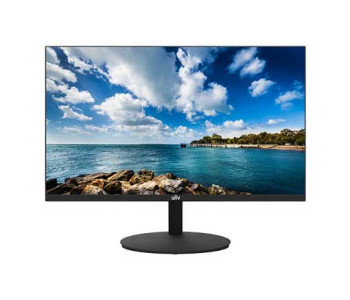
Monitor Price in Bangladesh 2026 — Buy Genuine Displays from CSI, Bangladesh's Trusted IT Distributor
The right monitor price in Bangladesh depends on panel type, size, and refresh rate — a 21.5″–24″ IPS office monitor sits at the entry tier, while 27″+ QHD or high-refresh gaming panels sit higher. CSI (Computer Solutions Inc.) sells 100% genuine BenQ, PC Power, UNV, Dahua, and Wintech monitors in Bangladesh with official warranty, authentic import documentation, and nationwide delivery — so you're paying for a real product backed by real after-sales support, not just a screen.
Reasons of Buying Your Next Monitor From CSI
Most people shopping "monitor price in Bangladesh" are comparing numbers across ten tabs. That's the wrong first filter. A monitor is a 5–7 year purchase — the panel quality, warranty honesty, and whether the seller still exists when your backlight starts flickering in year two matter more than a thousand-taka difference at checkout.
CSI operates as one of Bangladesh's established IT product distributors, not a marketplace reseller. That distinction matters for three reasons:
- Verified authenticity. Every unit sold under CSI's monitor lineup — BenQ, PC Power, UNV, Dahua, and Wintech — comes through official supply channels, not grey-market imports with stripped serial numbers.
- Warranty that actually gets honored. Because CSI deals directly with brand principals and distributors, warranty claims route through a real support chain instead of a reseller who's gone quiet.
- Nationwide secure delivery. Monitors are fragile, panel-first products. CSI's logistics are built around protecting large, flat, glass-faced items in transit — something generic courier-dependent sellers often get wrong.
- Real technical guidance, not just a spec sheet. CSI's team can advise on panel type, connectivity, and use-case fit before you buy — the kind of pre-sale conversation a pure e-commerce listing can't offer.
If you're outfitting a single desk or a 40-seat office, that support layer is the actual value — the display panel underneath is largely commoditized.
Who This Category Is For
This isn't a page for one buyer persona — it's built to cover every real reason someone in Bangladesh searches for a monitor:
- Home & office professionals who need a flicker-free, eye-care-certified IPS display for 8+ hour workdays — spreadsheets, video calls, document work.
- Students and freelancers running a laptop-plus-external-display setup for coding, design software, or multitasking across two windows.
- Content creators and designers who need accurate color reproduction (sRGB coverage) and higher resolution real estate for photo, video, or UI work.
- Gamers prioritizing refresh rate and response time over raw resolution — 100Hz–180Hz panels with low input lag.
- Businesses, control rooms, and surveillance setups using UNV or Dahua displays as dedicated monitoring screens alongside CCTV/NVR systems — a use-case general electronics retailers rarely stock for.
- IT admins and system integrators buying in bulk for office refreshes, where consistent panel batches and predictable lead times matter more than any single unit's price.
How to Choose the Right Monitor: A CSI Buying Framework
Start with your primary use-case (office, design, gaming, or monitoring), then filter by panel type, size, resolution, and refresh rate in that order — not the reverse.
1. Panel type — this decides your daily experience more than any other spec.
- IPS — the safe default for 2026. Wide viewing angles, accurate color, good for office, design, and general use. Most of CSI's BenQ and PC Power range is IPS.
- VA — deeper contrast and blacks, decent for media consumption, less common in the entry office tier.
- TN — fastest response times at the lowest cost, mainly relevant for competitive gaming panels; weaker color and viewing angles.
2. Screen size vs. desk reality.
21.5″–23.8″ suits single-monitor desks and tighter workstations. 27″ is the current sweet spot for dual-monitor productivity setups and design work. Anything above 27″ needs either a QHD/4K resolution to stay sharp, or it'll look visibly soft at close range.
3. Resolution — match it to size, not to marketing.
Full HD (1920×1080) is genuinely sufficient up to about 24″. Push past 27″ and you should be looking at QHD (2560×1440) or 4K to keep text and UI elements crisp — otherwise you're just seeing bigger pixels, not more detail.
4. Refresh rate — only pay for what you'll use.
60Hz is fine for office and browsing. 100Hz–144Hz noticeably smooths scrolling and everyday use even outside gaming. 180Hz+ only matters if you're playing competitive titles where frame timing actually affects outcomes.
5. Eye-care and ergonomics — the most overlooked line item.
Flicker-free backlighting and low blue-light modes matter enormously if you're staring at the screen 6+ hours a day. Tilt adjustment is standard; pivot and height adjustment are worth paying for if you'll use the monitor daily for years.
6. Ports — check before you buy, not after.
Confirm HDMI version, DisplayPort availability, and whether you need USB-C with power delivery (useful for single-cable laptop docking). A monitor with the "right" panel but the wrong port for your GPU or laptop is a returns headache.
Buying Factors at a Glance
| Priority | If you're buying for… | Focus on |
|---|---|---|
| 1 | Office / daily work | IPS panel, flicker-free, 60–100Hz |
| 2 | Design / photo-video | IPS, sRGB coverage, 27″+, QHD or higher |
| 3 | Gaming | Refresh rate (100Hz+), response time, adaptive sync |
| 4 | Surveillance / control room | UNV or Dahua monitor lines, reliability over specs |
| 5 | Multi-monitor productivity | 23.8″–27″, slim bezel, VESA-mount compatible |
Honest Trade-offs Worth Knowing
No single monitor wins on every axis, and CSI would rather you know that before checkout than after:
- Higher refresh rate almost always trades against color accuracy at the entry-to-mid price tier — gaming-focused panels are rarely the best choice for design work.
- Curved and ultrawide formats look impressive but need desk depth and GPU headroom most single-monitor setups don't have.
- A larger screen with the same resolution as a smaller one gives you bigger, not sharper — don't upgrade size without upgrading resolution alongside it.
- Built-in speakers on any monitor are a convenience feature, not a hi-fi one — budget separately if audio quality matters to you.
Frequently Asked Questions
What is a good monitor size for office work in Bangladesh?
21.5″–23.8″ IPS monitors cover most single-screen office desks comfortably; 27″ is better if you run two windows side by side regularly.
Is IPS or VA panel better for everyday use?
IPS is generally the better all-rounder for office, study, and design work because of its accurate color and wide viewing angles; VA suits media-heavy use where deeper contrast matters more than color precision.
Does a higher refresh rate matter outside gaming?
Yes — 100Hz and above noticeably smooths scrolling, video playback, and cursor movement even in regular office use, not just games.
Are UNV and Dahua monitors only for CCTV setups?
No — both brands supply general-purpose display monitors alongside their surveillance product lines, and CSI stocks them as standalone monitor options, not just as camera-system accessories.
Does CSI provide official warranty on monitors?
Yes — monitors sold by CSI carry manufacturer-backed warranty support, since CSI sources through official supply channels rather than grey-market imports.
Can I get a monitor delivered outside Dhaka?
Yes — CSI delivers nationwide across Bangladesh, with packaging designed for safe transit of large, flat-panel displays.
Explore More at CSI
- Browse the BenQ IPS monitor collection — CSI's widest range, covering eye-care office panels through to design and gaming displays.
- Check PC Power monitor price in Bangladesh for budget-friendly IPS options built for everyday office use.
- See the UNV monitor lineup — a solid pick for control-room and business monitoring setups.
- Pair your new display with a monitor arm or stand for proper ergonomic height and desk-space savings.
- Compare Dahua monitor options for reliable displays across office and surveillance-adjacent use-cases.
Still unsure which monitor fits your setup? CSI's team can match your use-case — office, design, gaming, or monitoring — to the right panel before you spend a single taka. That's the difference between buying a screen and buying the right screen.


- Resolution: FHD (1920×1080)
- Display: IPS, 100Hz, 5ms GTG
- Ports: 1x HDMI, 1x VGA
- Features: Low Blue Light, Flicker-Free, Built-in Speakers


- Resolution: FHD (1920×1080)
- Display: IPS, 75Hz, 5ms GTG
- Ports: 1x HDMI, 1x VGA, Audio Out
- Features: Low Blue Light, Flicker-Free, Built-in Speakers


- Resolution: FHD (1920×1080)
- Display: IPS, 100Hz, 5ms GTG
- Ports: 1x HDMI, 1x Type-C, 1x Audio Out
- Features: Flicker-Free, Low Blue Light, Built-in Speakers


- Resolution: FHD (1920×1080)
- Display: IPS, 100Hz, 5ms
- Ports: HDMI, VGA
- Color Gamut: 120% sRGB

- Resolution: FHD (1920×1080)
- Display: IPS, 75Hz, 5ms GTG
- Ports: 1x HDMI, 1x VGA, Audio Out
- Features: Low Blue Light, Flicker-Free, Built-in Speakers