
Router Price in Bangladesh — Choose Wired, Wireless & Enterprise Routers from CSI
The right router in Bangladesh isn't the one with the highest speed rating on the box — it's the one matched to your space, device count, and internet package. At CSI, Bangladesh's leading IT products distributor, we stock genuine, BTRC-compliant routers from D-Link, Tenda, Dahua, and PC Power, backed by official warranty, verified stock, and nationwide delivery — so you buy once and stop worrying about signal drops, firmware issues, or fake imports.
Whether you're setting up a single-room WiFi connection, wiring a multi-floor office, or replacing a router that can't keep up with your ISP's bandwidth, this page is built to help you understand the category first — then choose confidently from our in-stock range.
Why Your Router Choice Actually Matters
A router is the single device that decides how your entire internet connection performs. Your ISP can hand you a 40 Mbps or 100 Mbps line, but a weak, outdated, or single-band router will bottleneck that speed the moment more than two or three devices connect. In Bangladeshi homes and offices — where WiFi now has to serve smartphones, smart TVs, CCTV/NVR systems, laptops, and IoT devices simultaneously — router selection has shifted from a "nice to have" to core infrastructure.
This is also why BTRC has been phasing out single-band router imports in favor of dual-band standards: modern connections need two frequency bands working together to avoid congestion. CSI's router lineup is curated with this shift in mind, so every unit you buy from us is relevant for how Bangladesh actually uses the internet today.
Types of Routers We Stock — Find Your Category in One Look
Most homes need a dual-band wireless router, most small offices need a Gigabit wired-and-wireless combo, and multi-floor spaces need a mesh or multi-unit setup. Here's how the subtypes differ:
- Wireless (WiFi) Routers — Broadcast internet over 2.4 GHz and/or 5 GHz bands. Best for homes, apartments, and small offices where cabling every device isn't practical.
- Wired Routers — Distribute internet strictly through Ethernet (LAN) ports. Preferred for fixed workstations, POS counters, and CCTV/NVR networks where a stable, uninterrupted connection matters more than mobility.
- Dual-Band Routers — Operate on both 2.4 GHz (longer range, more interference) and 5 GHz (faster, shorter range) simultaneously. This is now the practical minimum standard for any household with 5+ connected devices.
- Gigabit Routers — Support up to 1000 Mbps per port, meant for users on fiber packages of 50 Mbps and above who don't want the router itself to be the slowest link in the chain.
- Mesh & Multi-Unit Systems — A network of two or more router units working as one system to eliminate dead zones in duplex homes, multi-floor offices, and larger retail spaces.
- Pocket / Portable 4G Routers — SIM-based routers for mobile internet sharing, backup connectivity, or temporary office/event setups without a fixed broadband line.
- Enterprise & VPN Routers — Built for businesses running multiple WAN connections, site-to-site VPN, bandwidth control, or heavier concurrent user loads than a consumer router can handle.
How to Choose the Right Router — CSI's Buying Guide
Match the router to three things: your coverage area, your device count, and your internet plan's speed — in that order. Below are the factors that actually decide whether a router performs well in real conditions, not just on a spec sheet.
- Coverage area: A single unit typically covers one floor of a standard home. Duplex or multi-floor spaces usually need a mesh system or a second access point rather than a "more powerful" single router.
- Number of connected devices: A basic single-band router struggles past 8–10 devices. If your household or office runs 15+ connected gadgets (phones, laptops, smart TVs, cameras), prioritize a dual-band or Gigabit model with higher concurrent-user handling.
- Band type (single vs dual vs tri-band): Dual-band lets you separate high-bandwidth activity (streaming, gaming) on 5 GHz from everyday browsing on 2.4 GHz, reducing lag for everyone on the network.
- Wired ports (LAN/WAN): If you have desktops, smart TVs, NVR/DVR systems, or a POS terminal that shouldn't drop connection, check the number of Gigabit LAN ports — wireless alone isn't ideal for these.
- ISP compatibility: Confirm the router supports your connection type (PPPoE, Dynamic IP, or Static IP) — this is the single most common cause of "new router not connecting" complaints in Bangladesh.
- Security standards: Look for WPA3 or at minimum WPA2 encryption, a built-in firewall, and guest network support, especially for shared office or retail environments.
- Build purpose — home vs office vs enterprise: Home routers prioritize ease of setup; office/enterprise routers prioritize uptime, VPN support, and load balancing across more users.
Quick Decision Guide by Use-Case
- Small apartment, 1–2 people, basic browsing: Entry-level dual-band wireless router.
- Family home, streaming + gaming + WFH: Gigabit dual-band router with 4+ antennas.
- Duplex house or multi-floor office: Mesh router system (2–3 units).
- Retail shop with CCTV + POS + WiFi: Wired Gigabit router with dedicated LAN ports for cameras and the POS terminal.
- Field office, event, or backup connectivity: Pocket 4G/LTE portable router.
- Corporate office with multiple staff and remote access needs: Enterprise router with VPN and bandwidth management.
Why Should You Buy Your Router from CSI
CSI is a nationwide IT products distributor in Bangladesh, which means the routers on this page come through direct manufacturer or authorized-distributor channels — not grey-market imports. That distinction matters for a device that sits at the center of your network security.
- 100% genuine products with manufacturer-backed official warranty on every unit.
- Verified in-stock inventory — what you see listed is what ships, with no bait-and-switch substitutions.
- Nationwide secure delivery across Bangladesh, with careful packaging for sensitive networking hardware.
- After-sales support from a team that understands router configuration, ISP compatibility, and troubleshooting — not just order fulfillment.
- Bulk and B2B supply for offices, retail chains, and system integrators who need consistent stock across multiple units.
This is the same distribution reliability CSI brings across its full networking range — from routers to managed and unmanaged network switches and UTP networking cable — so your entire network build can come from one trusted source instead of piecing it together across sellers.
Popular Router Brands Available at CSI
Our router range covers the brands most trusted by Bangladeshi households and businesses, each suited to slightly different needs:
- D-Link routers — a globally recognized networking brand known for consistent home and office WiFi performance and broad ISP compatibility.
- Tenda routers — budget-friendly dual-band and Gigabit options popular for home upgrades and small business setups.
- Dahua routers — reliable networking hardware from a brand also known for its surveillance ecosystem, useful when routers and CCTV/NVR systems need to work together.
- PC Power routers — practical, no-frills wired and wireless options for straightforward home and small-office connectivity.
All four brand ranges sit under our broader Networking category, alongside switches, extenders, and UTP cabling — so if you're building out infrastructure rather than replacing a single device, that's the best starting point.
Frequently Asked Questions About Routers in Bangladesh
Which type of router is best for a home in Bangladesh?
For most Bangladeshi homes, a dual-band Gigabit wireless router is the best fit — it separates high-speed activity from everyday browsing and handles 10–20 connected devices comfortably. Larger or multi-floor homes should consider a mesh system instead of a single powerful router.
Do I need a dual-band router, or is single-band enough?
Single-band routers are being phased out under BTRC guidelines and struggle once more than a few devices connect. A dual-band router is now the practical minimum for reliable home or office WiFi in Bangladesh.
Can one router cover a two-storey house?
A single router usually covers only one floor reliably. For two-storey or duplex homes, a mesh router system with two or three units placed strategically gives consistent coverage without dead zones.
Is a wired router better than a wireless router for offices?
Wired connections are more stable for fixed equipment like desktops, POS systems, and CCTV/NVR units, so most offices use a router with both wired LAN ports and wireless capability rather than choosing one exclusively.
Does CSI provide warranty and support on routers?
Yes. Every router sold by CSI is a genuine unit backed by official manufacturer warranty, along with after-sales support for setup and troubleshooting, and secure delivery across Bangladesh.
What's the difference between a router and a network switch?
A router connects your local network to the internet and manages traffic between devices and the outside connection. A network switch only expands the number of wired ports within an existing local network and does not provide internet routing on its own.
Ready to Upgrade Your Network?
Browse CSI's full router range by brand — D-Link, Tenda, Dahua, and PC Power — or explore the complete Networking category for switches, cabling, and extenders to complete your setup. Every order ships genuine, warrantied, and backed by CSI's nationwide support team.

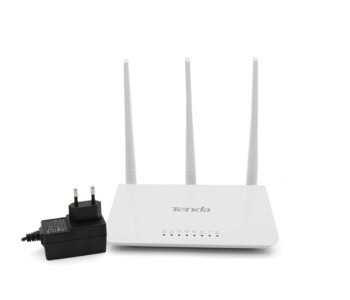
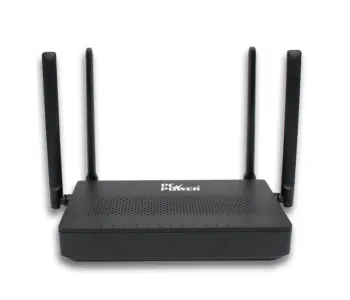
- Frequency: 2.4 GHz
- 3*5dBi external antennas
- 3 x LAN, 1 x WAN Port
- Support WISP, Universal Repeater, AP Mode
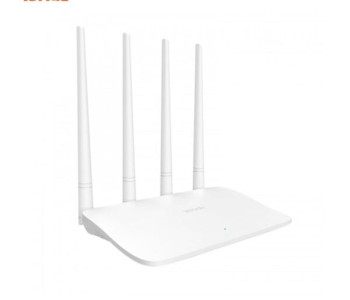
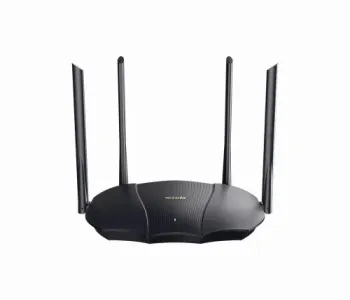
- Frequency: 2.4 GHz
- 4*5dBi external antennas
- 3 x LAN, 1 x WAN Port
- Support WISP, Universal Repeater, AP Mode
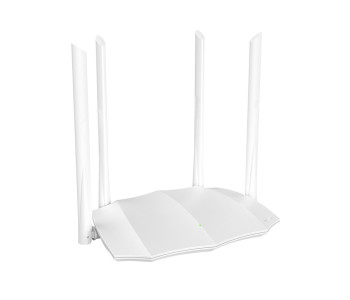
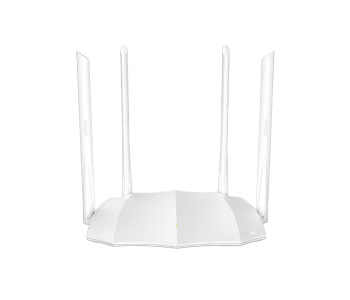
- Operating Frequency: 2.4 GHz, 5 GHz
- Button: WPS, Reset, WiFi Button
- Antenna: 4x6dBi Dual-Band External Antenna
- Interface: 4*100Mbps Ports
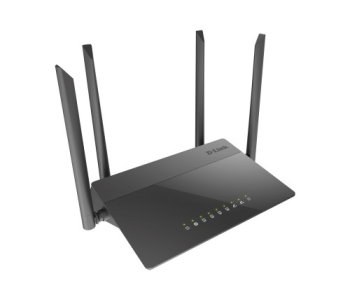
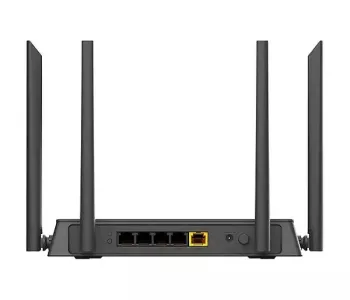
- Gigabit Ethernet WAN port, Fast Ethernet LAN ports
- Up to 300Mbps for 2.4GHz
- up to 867Mbps for 5GHz
- IPV6 Support
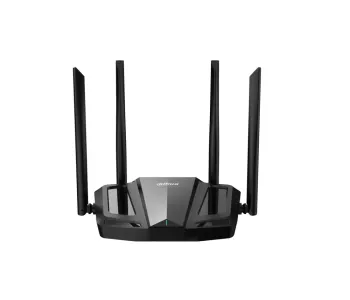
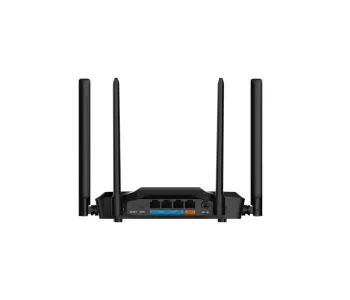
- Data Rate: 2.4 GHz: 300 Mbps, 5 GHz: 867 Mbps
- Beamforming for better Coverage
- Bi-directional MU-MIMO
- Area Coverage Up to 1500stf - 2000stf
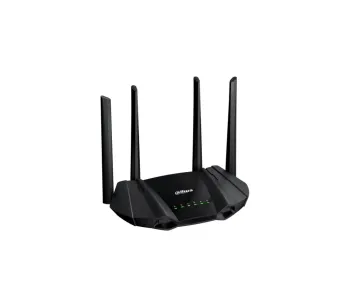
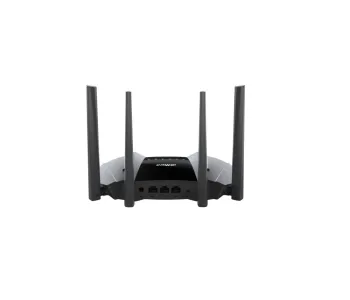
- Data Rate: 2.4 GHz: 300 Mbps, 5 GHz: 1201 Mbps
- OFDMA and 1024-QAM, Bi-directional MU-MIMO
- WiFi protected Access(WPA/WPA2/WPA3)
- Area Coverage Up to 2000stf - 2600stf


- Data Rate: 2.4 GHz: 574 Mbps, 5 GHz: 2402 Mbps
- WiFi protected Access(WPA/WPA2/WPA3)
- OFDMA and 1024-QAM.
- Bi-directional MU-MIMO.
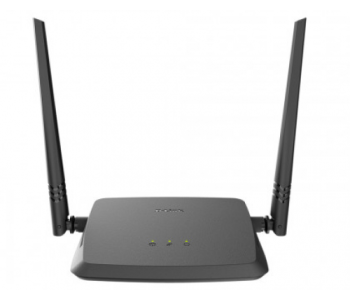
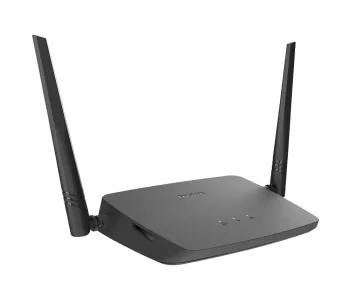
- High-Speed Wireless Networking
- IPv6 Ready
- Compatibility Assurance
- Securing Your Wireless Network
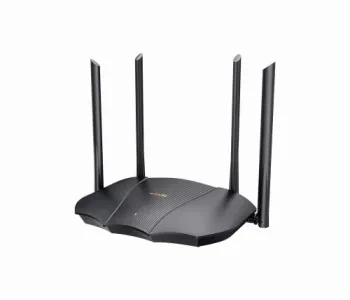
- Gigabit SFP slots up to 2000 Mbps full-wire speed
- Power Input: 100-240V AC 50/60Hz
- Packet forwarding Rate: 35.60Mpps
- Lightning protection for uplink ports: 6KV
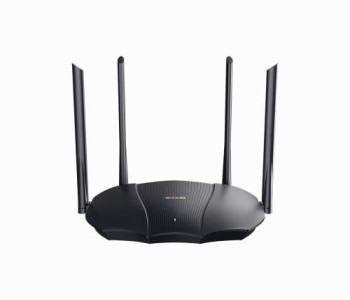
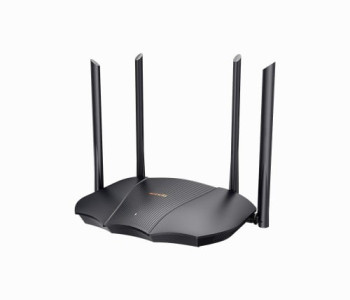
- Speed: 574Mbps on 2.4GHz band & 2402Mbps on 5GHz band
- 1.6GHz high-performance Dual-core processor
- OFDMA + MU-MIMO, 802.11ax technology
- 4x 6dBi external antennas

