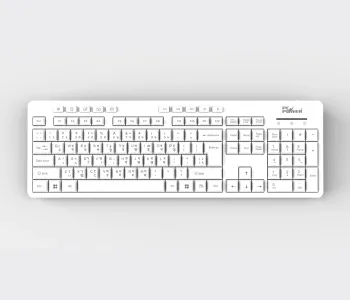
Keyboard Price in Bangladesh — Buy Keyboards Online at CSI
The right keyboard for you depends on three things — how you connect (wired vs. wireless), what switch type you type on (membrane, mechanical, or optical/Hall Effect), and what you use it for (office typing, coding, or gaming). CSI stocks all three categories from trusted brands like Forev and PC Power, backed by official warranty and nationwide delivery across Bangladesh.
A keyboard is the one accessory you touch more than your mouse, your monitor, or even your phone during a workday — yet it's usually the last thing people upgrade. At CSI, we treat the keyboard category differently. Instead of just listing SKUs, this page is built to help you actually decide: what switch type suits your hands, which layout fits your workflow, and why buying from an authorized distributor instead of a random reseller matters when something goes wrong six months later.
Why Buy Your Keyboard From CSI
CSI (Computer Solutions Inc.) is one of Bangladesh's leading IT product distributors, not a marketplace reseller. That distinction matters more than most buyers realize:
- Trusted stock, sourced right. Every keyboard listed here is sourced through official brand channels, which means the firmware, switches, and build quality match what the manufacturer actually shipped — not a re-boxed clone.
- Real warranty support. If a key stops registering or a cable fails, you're dealing with a company that has physical branches and a support desk in Bangladesh — not a Facebook page that goes quiet after checkout.
- Nationwide secure delivery. Whether you're in Dhaka, Chattogram, or a district town, CSI ships with tracked, insured delivery so the box that leaves our warehouse is the box that reaches your desk.
- Distributor-level pricing and availability. Because CSI works directly with brands as a distributor, stock tends to be deeper and more consistent than smaller shops that depend on secondary supply chains.
If you're building a workstation, equipping an office, or fitting out a gaming setup, this is the category page to bookmark — we keep it updated as new switch technologies and layouts enter the Bangladesh market.
Types of Keyboards We Stock — and Who They're Actually For
Not every keyboard is built for the same job. Here's how the main types break down:
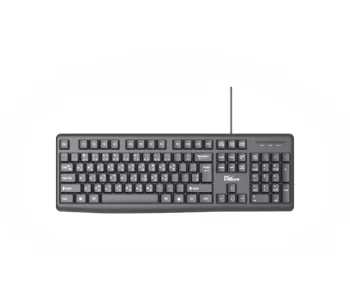
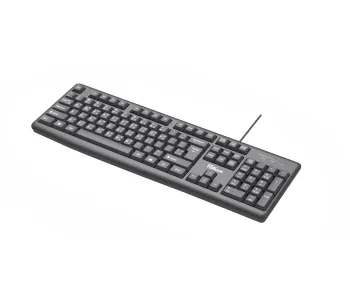
Membrane (regular) keyboards — A rubber dome sits under each key, giving a soft, quiet keystroke. This is the standard office and home keyboard: affordable, reliable, and low-maintenance. Ideal if you type documents, browse, and do general desk work without heavy daily key-mashing.
Mechanical keyboards — Each key has an individual physical switch (commonly Blue, Red, or Brown switches), giving tactile or clicky feedback and a much longer lifespan — often rated 50 million keystrokes per switch versus a fraction of that on membrane boards. Mechanical keyboards are the default choice for programmers, writers who type all day, and gamers who need consistent, fast actuation.
Gaming keyboards — Built on mechanical or hybrid switches with extras like N-key rollover, anti-ghosting, per-key RGB lighting, and dedicated macro keys. These matter when split-second, multi-key inputs decide a match.
Wireless and Bluetooth keyboards — Free your desk from cable clutter and pair easily with laptops, tablets, and multiple devices. The trade-off is battery management and, on cheaper models, a small amount of input latency — a non-issue for typing, but worth knowing if you're competitive gaming.
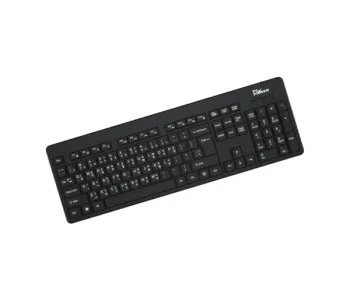
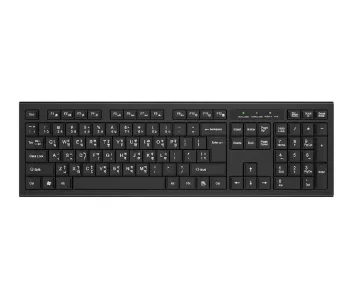
Bangla-English dual-layout keyboards — A genuinely local need. Many buyers in Bangladesh specifically look for keyboards with printed Bangla characters alongside English for government, media, and publishing work.
How to Choose the Right Keyboard: A Practical Buying Guide
Skip the spec-sheet overwhelm. These are the factors that actually change your day-to-day experience.
1. Switch type (the single biggest factor)
This determines sound, feel, and durability more than anything else. Membrane = quiet and cheap. Mechanical = durable and tactile, but louder and pricier. If you've never used a mechanical keyboard, know that switches themselves vary — clicky switches are satisfying but loud enough to bother deskmates; linear switches are smoother and quieter, popular for gaming; tactile switches sit in between.
2. Connectivity
Wired keyboards have zero latency and never run out of battery — the safer default for gaming and shared office PCs. Wireless keyboards win on desk tidiness and portability but need occasional charging or battery swaps.
3. Layout and size
Full-size (104/105-key) layouts include a numeric keypad, useful for data entry and accounting work. Compact/tenkeyless layouts save desk space and bring your mouse hand closer to center — a small but real ergonomic win over long sessions.
4. Key rollover and anti-ghosting
This determines how many keys the keyboard can register accurately if you press several at once. Irrelevant for typing, essential for gaming.
5. Build material and keycaps
ABS keycaps are common and affordable but can develop a shine over years of use. PBT keycaps resist wear and shine longer — worth the small upgrade if you're a heavy daily typist.
6. Backlighting
Not just aesthetics — backlit keys genuinely help in dim rooms, night shifts, or home offices with poor lighting.
Honest trade-off: the most expensive keyboard isn't automatically the best one for you. A software developer typing 8 hours a day benefits far more from a good tactile mechanical switch than from RGB lighting — while a competitive gamer benefits more from low-latency wired connectivity and fast linear switches than from a numeric keypad they'll never use.
Matching a Keyboard to Your Use Case
- Home/office typing and admin work → A membrane or entry mechanical keyboard with a full 104-key layout and Bangla-English support.
- Software development and long writing sessions → A tactile mechanical keyboard, ideally with PBT keycaps for durability.
- Gaming setups → A mechanical or hybrid-switch gaming keyboard with anti-ghosting, N-key rollover, and wired connectivity for zero input lag.
- Minimal, clutter-free desks or laptop users → A compact wireless or Bluetooth keyboard that pairs across multiple devices.
- Shared office or public-facing counters → A budget-friendly wired membrane keyboard that's easy to replace and doesn't require charging.
Explore More From CSI's Keyboard and Peripheral Range
If you're setting up a full desk, these related categories and brand lines are worth checking alongside your keyboard:
- Browse the Forev Keyboard lineup for budget-friendly wired and membrane options built for everyday office and home use.
- Check the PC Power Keyboard range if you want a locally trusted brand with both regular and gaming-oriented models.
- Pair your new keyboard with a matching gaming and productivity mouse — most buyers upgrade both together for a consistent typing and clicking feel.
- Add a mouse pad for smoother tracking and a cleaner desk setup, especially with RGB keyboards.
- For the full range of desk peripherals — webcams, monitor arms, and headsets — see CSI's complete Accessories category.
Frequently Asked Questions
What is the best type of keyboard for everyday office use in Bangladesh?
A membrane or entry-level mechanical keyboard with a full 104-key layout and Bangla-English support is the most practical choice for everyday office and home typing — quiet, affordable, and widely compatible.
Is a mechanical keyboard worth it for typing, not gaming?
Yes. Mechanical keyboards last significantly longer than membrane boards and offer more consistent tactile feedback, which reduces typing fatigue over long sessions — a real benefit for writers, developers, and data-entry roles, independent of gaming performance.
What's the difference between wired and wireless keyboards?
Wired keyboards connect via USB and have no input delay or battery dependency, making them the safer choice for gaming and shared workstations. Wireless keyboards connect via Bluetooth or a USB dongle, trading a small amount of latency for a cleaner, cable-free desk.
Do CSI keyboards come with a warranty in Bangladesh?
Yes. Keyboards purchased from CSI carry official manufacturer warranty support, backed by CSI's own after-sales service network and physical branches — not just an online-only guarantee.
Can I buy a Bangla-English keyboard from CSI?
Yes. CSI stocks keyboards with dual Bangla-English key printing, commonly used for government offices, publishing, and general local-language typing needs.
How long does a mechanical keyboard typically last?
Most mechanical switches are rated for 50 million keystrokes per key, which translates to years of daily heavy use — significantly longer than the typical lifespan of a membrane keyboard.
Buy With Confidence at CSI
CSI combines distributor-level trust, official warranty, and nationwide secure delivery — so your keyboard purchase isn't just about the lowest price today, it's about having reliable stock and real support if you need it later. Browse the full range above, use the buying guide to match a keyboard to your actual use case, and order online or visit your nearest CSI branch to see the build quality in person before you buy.