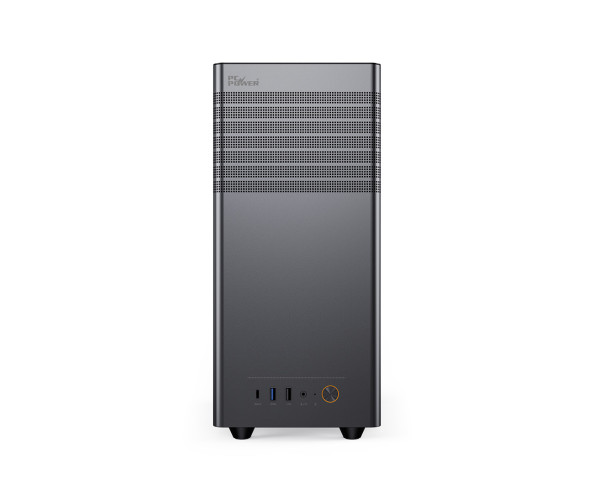
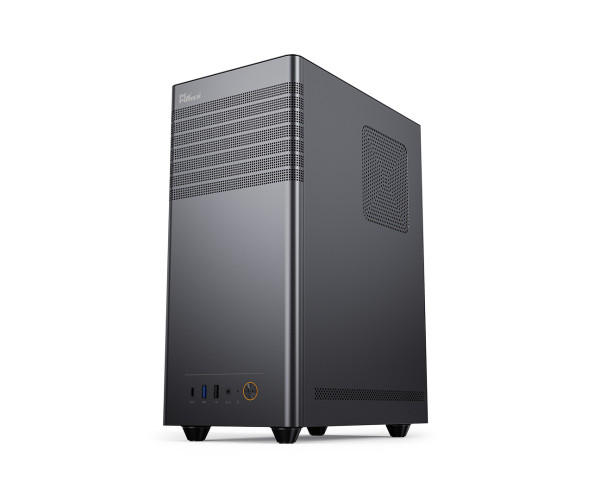
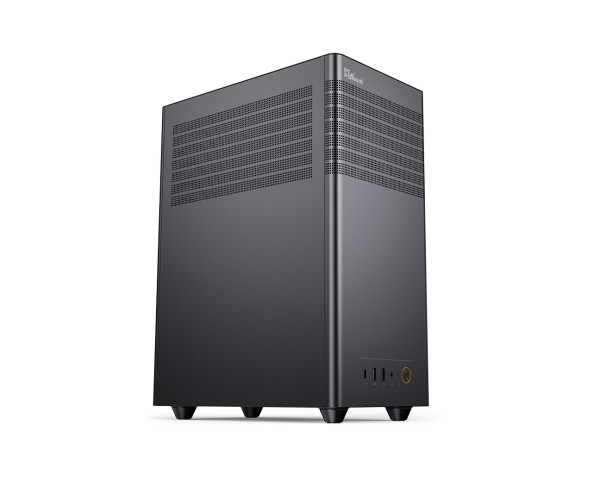
The PC Power PC500+ BK Mini ATX Casing is a compact black tower for Micro-ATX builds. It has a front Type-C (USB 3.0) port, room for a 140mm CPU cooler, and space for one HDD plus two SSDs, all in a 275 x 165 x 369 mm body. It suits office, home and everyday desktops where you want a small, tidy cabinet rather than a large gaming chassis. It is not meant for long graphics cards or heavy liquid cooling.
Where This Compact Black Cabinet Fits Best
Most desktop buyers in offices and homes don't need a huge tower full of empty space. They need a cabinet that holds a sensible set of parts, stays out of the way and doesn't make cable management a headache. The PC500+ is aimed at exactly that kind of build. These are the setups it handles well:
- Office workstations: A Micro-ATX board, an SSD for Windows and an HDD for archives fit easily. The narrow 165mm width leaves desk space for files, printers and peripherals, and the plain black finish looks professional next to a monitor.
- Home and family PCs: Browsing, online classes, video calls, streaming and light photo editing don't need a big chassis. The cabinet tucks neatly under a study table or beside a TV.
- Budget upgrade builds: If you're moving an older M-ATX motherboard out of a worn or dusty cabinet, the PC500+ gives it a fresh shell with modern front I/O, including Type-C, without the cost of a premium case.
- Entry-level graphics builds: Compact single-fan or short dual-fan cards up to 220mm fit. That covers many budget GPUs used for esports titles, casual gaming and basic video editing.
- Bulk deployments: System integrators equipping schools, shops or small offices with many identical PCs get a simple, consistent cabinet that is easy to assemble and service.
What to Check Before You Order
A small cabinet rewards a little planning. Run through these points before buying so every part fits on the first try.
Motherboard size
The product name says Mini ATX, but the cabinet supports M-ATX (Micro-ATX) motherboards. Full-size ATX boards will not fit. Check your board's form factor before buying, especially if you're reusing parts from an older system. Most budget Intel and AMD boards sold for office builds are Micro-ATX, so this is rarely a problem for the target buyer.
Graphics card length
GPU clearance is 220mm, and that figure is measured with the front HDD bracket installed. Many triple-fan and high-end cards are longer than this. Measure your card from bracket to tail, and choose a larger cabinet if you plan to move to a long GPU later. If you only use integrated graphics, this limit doesn't affect you at all.
CPU cooler height
Coolers up to 140mm tall fit. That covers stock coolers from Intel and AMD and most compact single-tower air coolers. Very tall dual-tower coolers will not fit, so check the cooler's height spec before buying it.
Airflow planning
There is mounting space for one 12cm fan at the front and one 9cm fan at the rear. That front-to-back layout is enough for office and everyday workloads. If your build has a warmer processor or a dedicated GPU, fill both fan positions so heat doesn't build up in the small interior. Keep the cabinet a few inches from the wall so the rear fan can exhaust freely, and clean the front intake now and then in dusty rooms.
Storage and front ports
You get one HDD bay and two SSD mounts, which suits a fast boot drive, a second SSD for projects, and a hard disk for bulk files. The front panel has Type-C (USB 3.0), USB 3.0, USB 1.1 and HD Audio. The Type-C port is handy for modern phones, portable SSDs and card readers, and it saves you from reaching behind the PC.
A Simple Build Order for a Clean Result
Space is tight in compact cases, so the order you install parts matters:
- Install the CPU, cooler and RAM on the motherboard outside the case.
- Fit the I/O shield and mount the motherboard, then connect the front-panel, USB and audio headers before anything blocks them.
- Mount the SSDs and HDD, and route their cables before adding the graphics card.
- Install the GPU last, then tie cables away from the front and rear fan paths.
Who Should Pick It and Who Should Look Elsewhere
Good fit: office buyers, students, home users and system builders putting together small M-ATX PCs on a budget. If you prefer a lighter interior, the PC Power PC500+ WH Mini ATX Desktop Casing has the same layout in white.
Skip it if: you need an ATX motherboard, a GPU longer than 220mm, a large radiator or several intake fans. For those builds, browse the wider range of desktop PC casings for ATX, Micro-ATX and gaming builds on CSI.
CSI is one of Bangladesh's top IT product distributors. Every unit you buy from CSI is authentic, comes with after-sales support from a dedicated team, and ships with secure delivery across the country. Explore more cabinets and accessories in the PC Power collection.
Frequently Asked Questions
Can the PC Power PC500+ BK Mini ATX Casing hold a full ATX motherboard?
No. This cabinet supports M-ATX (Micro-ATX) motherboards only. If you need an ATX board, choose a mid-tower case.
Will my graphics card fit inside the PC500+?
Cards up to 220mm long fit, measured with the front HDD bracket installed. Most compact budget GPUs are within that range. Long triple-fan models usually are not.
Does the front panel have USB Type-C?
Yes. The front I/O has a Type-C port at USB 3.0 speed, along with a USB 3.0 Type-A port, a USB 1.1 port and HD Audio jacks.
How many storage drives can I install?
You can install up to three drives: one 3.5-inch HDD and two SSDs. That's enough for a boot drive, a secondary SSD and a hard disk for backups or media.
Is this cabinet good for gaming?
It handles light and esports gaming with a compact GPU and both fan positions filled. For high-end cards or long gaming sessions with hot components, a larger case with more airflow is the better choice.